X (Twitter) post image size: 1600 × 900
1600 × 900 pixels, 16:9, shown in full in the timeline. The image never leaves your device.
Drop files here
or click to choose from your deviceAccepted: JPG, JPEG, PNG, WEBP, AVIF, GIF, BMP, HEIC, HEIF
Up to 3 files per runUp to 20 MB per file5 runs per dayRemove limits with Pro✓ Works offline
Your files stay on your device
This tool runs entirely in your browser. Nothing is uploaded, nothing is stored, and you can even turn off your internet connection before you start.
Example
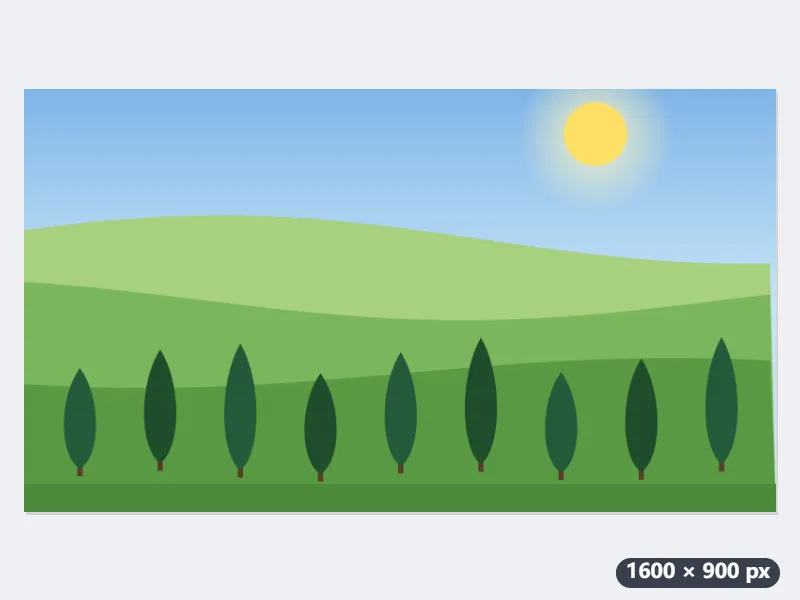
Example: a 4032 × 3024 phone photo of hills cut to 1600 × 900 for X
A landscape holiday photo from a phone, hills.jpg, 4032 × 3024 pixels (4:3): a blue sky with a few clouds and the sun, rolling green hills, and a row of cypress trees along the bottom. Settings as the page opens: Fill and crop (recommended), output format Same as original, no size limit.
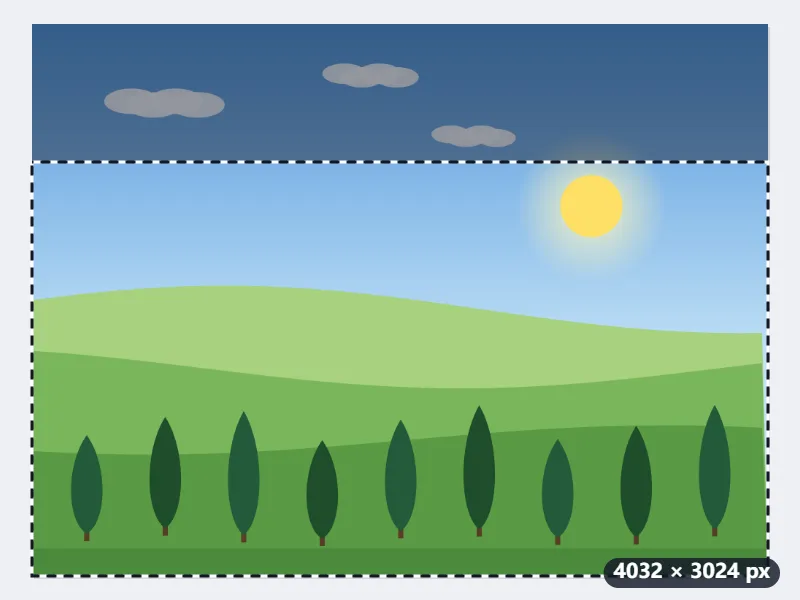
- The 16:9 frame appears in the middle, the full width of the photo: 4032 × 2268 pixels, with 378 pixels left outside it at the top and 378 at the bottom.
- Drag it all the way down so the trees stay whole: the 756 pixels that go are the cloudy strip of sky at the top.
- Press Resize for X. What is inside the frame is scaled down to exactly 1600 × 900 and saved as hills-1600x900.jpg.
| Starting picture | Fill and crop keeps | Fit inside: picture + padding |
|---|---|---|
| 4032 × 3024 (phone, landscape) | 4032 × 2268, 75 % of it | 1200 × 900, 200 px each side |
| 3024 × 4032 (phone, portrait) | 3024 × 1701, 42 % | 675 × 900, about 463 px each side |
| 3000 × 2000 (camera, 3:2) | 3000 × 1688, 84 % | 1350 × 900, 125 px each side |
| 1080 × 1080 (square post) | 1080 × 608, enlarged 1.48 times | 900 × 900, 350 px each side |
| 1080 × 2400 (phone screenshot) | 1080 × 608, 25 % | 405 × 900, about 598 px each side |
A 1600 × 900 picture that the X timeline shows whole, trees and all. A portrait photo or a screenshot loses most of its height to Fill and crop; Fit inside keeps all of it, with white bands at the sides in a JPG and transparent ones in a PNG or WebP.
How it works
- Drop the photo, chart or screenshot you want to post.
- Fill and crop is preselected: a 16:9 frame appears on the image. Drag it to choose what stays. Tall screenshots lose most of their height; consider Fit inside for those.
- Press Resize for X. The output is exactly 1600 by 900 pixels.
- Download and attach it to your post. For a four-image post the same 16:9 size works well because X tiles them into a 2×2 grid.
Frequently asked questions
- What size is an X (Twitter) post image?
- The X (Twitter) post image size is 1600 × 900 pixels (16:9), which shows uncropped in the timeline. X displays single images in the timeline at a 16:9 ratio without cropping. 1600×900 is twice the 800×450 layout width, so it stays sharp on high-density screens while the file remains small enough that X does not downscale it further.
- Will X compress my image?
- Yes. Photos are re-encoded as JPEG and the 5 MB photo limit applies. Starting from the exact size and a clean, high-quality JPG gives the best result after X's own processing.
- What about profile pictures and headers?
- Profile pictures are 400×400 and shown as a circle; headers are 1500×500. Use the X header page linked below or the presets on the main Resize image tool.
- Can I keep the whole tall screenshot?
- Choose Fit inside: the whole screenshot is fitted into 1600 × 900 and the sides are padded — white in a JPG, transparent in a PNG or WebP. A 1080 × 2400 phone screenshot becomes 405 × 900 in the middle, with about 600 pixels of padding each side, so its text ends up small; cropping to the part that matters is usually easier to read.
- Will a square photo work?
- It will, but choose how. Fill and crop takes a 1080 × 608 band across the middle of a 1080 × 1080 photo and enlarges it 1.48 times to 1600 × 900, which softens it and loses the top and bottom. Fit inside keeps the whole square at 900 × 900 in the middle, with 350 pixels of padding each side.
- Can I keep the file under a certain size?
- Yes: set “Keep the file under” to 20, 50, 100, 200 or 500 KB. The picture stays 1600 × 900 and only the quality is lowered until it fits; a PNG with “Same as original” comes out as a JPG, because a PNG cannot trade quality for bytes. If even the lowest quality is too big, the page says so instead of shrinking the picture.
- Is the file uploaded to Nouplo?
- No. Everything runs in your browser. The free plan allows 3 files per run, 20 MB per file and 5 runs per day; Pro removes those limits.
Made for a specific use
- Instagram post size
- Instagram portrait size
- Instagram Story size
- YouTube thumbnail size
- X header size
- Facebook cover size
- LinkedIn banner size
- LINE profile picture size
- TikTok size
- Pinterest pin size
- Facebook link preview size
- YouTube banner size
- Passport photo size
- My Number card photo size
- 30×40 mm ID photo
- 45×60 mm ID photo
- A4 at 300 dpi
- DNI photo size
- 50×60 mm biometric photo
- Argentine 4x4 photo
- Web résumé photo (450 × 600 px)
- Tamaño infantil photo (2.5 × 3 cm)
- 5×7 cm photo
- US visa photo size
- Bulk resize images
- Resize image in pixels and KB
- Resize an image in centimetres