LINE profile picture size: 640 × 640
640 × 640 pixels, shown as a circle in chats and friend lists. The photo never leaves your phone.
Drop files here
or click to choose from your deviceAccepted: JPG, JPEG, PNG, WEBP, AVIF, GIF, BMP, HEIC, HEIF
Up to 3 files per runUp to 20 MB per file5 runs per dayRemove limits with Pro✓ Works offline
Your files stay on your device
This tool runs entirely in your browser. Nothing is uploaded, nothing is stored, and you can even turn off your internet connection before you start.
Example
Example: a portrait phone photo made into a 640 × 640 LINE profile picture
me.jpg, 3024 × 4032 pixels: a stylised figure standing in front of a plain wall, the face in the upper third. Fill and crop is preselected, so a square frame as wide as the photo appears on it: 3024 × 3024.
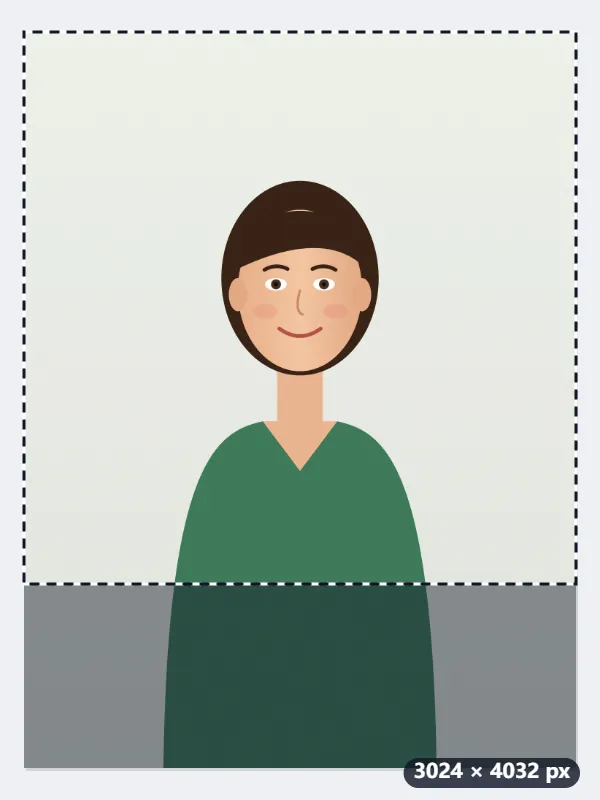
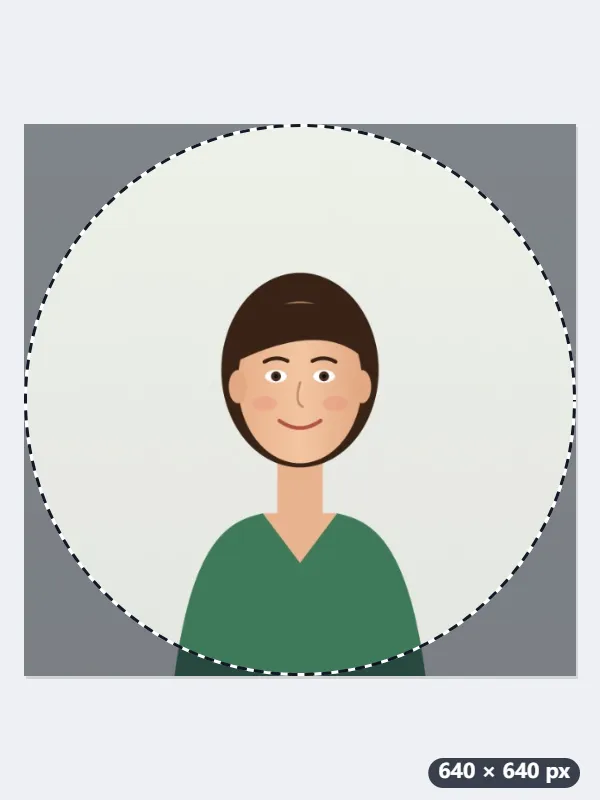
- The frame starts in the middle, 504 px from the top and 504 px from the bottom. Drag it up until the face sits in its centre: the circle LINE cuts out touches the middle of each side.
- Press Resize for LINE: the square is scaled to 640 × 640, 21.2% of its size, and saved as me-640x640.jpg.
- Keep the face, and anything else that should be seen, inside the circle: the four corners, 21.5% of the square, are hidden in chats and friend lists.
| Photo | Square frame at the start | Saved |
|---|---|---|
| 3024 × 4032, portrait | 3024 × 3024, 504 px from the top | 640 × 640 |
| 4032 × 3024, landscape | 3024 × 3024, 504 px from the left | 640 × 640 |
| 1080 × 1350, 4:5 post | 1080 × 1080, 135 px from the top | 640 × 640 |
me-640x640.jpg, exactly 640 × 640 with the face in the middle. Set it under Home, profile, photo: the circle shows the face, and nothing that matters is lost in the corners.
How it works
- Drop the photo. Portraits with the face near the centre work best because LINE shows the picture as a circle.
- Fill and crop is preselected: a square frame appears on the photo. Drag it so the face sits in the middle of the frame, because LINE cuts a circle out of it.
- Press Resize for LINE. The output is exactly 640 by 640 pixels.
- Set it under Home, profile, photo. Anything in the four corners of the square is hidden by the circular mask.
Frequently asked questions
- What size is a LINE profile picture?
- The LINE profile picture size is 640 × 640 pixels (1:1), shown as a circle. LINE displays profile pictures as a circle cut from a square. 640×640 is large enough for the profile screen and sharp at 2× in chat lists, while staying small enough that LINE barely has to scale it down.
- What is hidden by the circle?
- A circle inscribed in the square hides about 21% of the area, all of it in the corners. Keep faces, logos and text inside a circle that touches the four sides.
- The face is off to one side.
- Drag the square frame over the face before you press the button. The frame starts centred but can sit anywhere on the photo, and you can make it smaller from a corner to zoom in on the face.
- JPG or PNG?
- JPG for photos. PNG for illustrations or logos with flat colour; LINE converts both, but PNG keeps the edges cleaner before conversion.
- Can I use a landscape photo?
- Yes. The square frame is then as tall as the photo and starts in the middle: on a 4032 × 3024 photo it is 3024 × 3024, 504 px from the left. Drag it sideways onto the face; the result is still 640 × 640.
- Is my photo uploaded anywhere?
- No. It is resized in your browser and never sent to Nouplo. The free plan allows 3 files per run, 20 MB per file and 5 runs per day; Pro removes those limits.
Made for a specific use
- Instagram post size
- Instagram portrait size
- Instagram Story size
- YouTube thumbnail size
- X post image size
- X header size
- Facebook cover size
- LinkedIn banner size
- TikTok size
- Pinterest pin size
- Facebook link preview size
- YouTube banner size
- Passport photo size
- My Number card photo size
- 30×40 mm ID photo
- 45×60 mm ID photo
- A4 at 300 dpi
- DNI photo size
- 50×60 mm biometric photo
- Argentine 4x4 photo
- Web résumé photo (450 × 600 px)
- Tamaño infantil photo (2.5 × 3 cm)
- 5×7 cm photo
- US visa photo size
- Bulk resize images
- Resize image in pixels and KB
- Resize an image in centimetres