Signature generator
Your name, signed — typed in handwriting or drawn by hand.
Type your name above to see it as a signature
Nothing leaves your device
This tool runs entirely in your browser. What you type, play or record here stays on your device: nothing is uploaded or saved on a server.
Example
Example: “Emily Carter” as a blue ballpoint signature on a transparent PNG
Make it: From my name; Handwriting: Show them all; Ink: Blue (ballpoint); Slant: Slight. The name is in Latin letters, so it appears in the 14 school hands from the US, UK, France, Italy, Spain, Brazil and Germany.
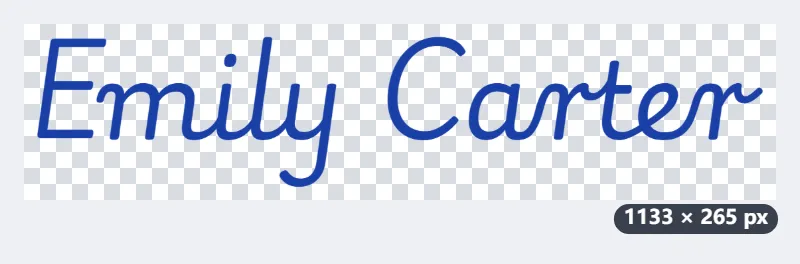
- Pick the US Modern version: the name in joined cursive, ink #1A3FA6, slanted slightly (8°).
- The PNG is cropped to the ink with a small margin, about 1,100 pixels wide, on a transparent background.
- Download signature.png and place it on the signature line with Fill & sign PDF, about 2 inches wide: roughly 550 pixels per inch, sharp in print.
| Setting | Choices | What it changes |
|---|---|---|
| Ink | Black #111111, Blue (ballpoint) #1A3FA6, Navy #0B1F4D | the colour in the PNG itself |
| Slant | Upright 0°, Slight 8°, Strong 15° | how far the letters lean |
| Pen (Draw only) | Fine, Medium, Bold | the width of the line you draw |
A signature that sits on the line like ink, with no white box around it. Drawn instead of typed, it is saved the same way, as a transparent PNG cropped to the strokes.
How it works
- Type your name: a name in Latin letters appears in fourteen handwriting styles, from American and British cursive to French, Italian, Spanish, Brazilian and German school scripts; a name in Japanese gets the Japanese hand.
- Pick the one you like, and choose the ink colour and slant — or switch to Draw and sign with your finger, stylus or mouse.
- Download the transparent PNG, or copy it, and place it in a PDF, a Word document or an e-mail signature.
Frequently asked questions
- How do I put the signature into a PDF?
- Download the PNG, then add it as an image with the PDF signing tool (Fill & sign PDF) or any PDF editor. The background is transparent, so it sits on the line like ink.
- Which handwriting styles are there?
- School scripts from the US, UK, France, Italy, Spain, Brazil and four from Germany, plus a Japanese handwriting font for names in kana or kanji. All are open-licensed (SIL Open Font License).
- Can I draw it instead?
- Yes — Draw gives you a signing pad: the line thins with speed like a real pen, and a stylus responds to pressure.
- Is a signature made here legally valid?
- A picture of a signature is an ordinary electronic signature: fine for many everyday documents, e-mails and forms, but not the qualified or advanced electronic signatures some contracts and official filings require. When in doubt, sign by hand or use the signing service the other side asks for.
- What size is the PNG?
- A typed name comes out about 1,100 pixels wide, cropped to the ink with a small margin and set in type between 96 and 280 px; the exact size is shown above the Download button. Placed 2 inches wide, that is about 550 pixels per inch.
- Can I make the signature blue?
- Yes: Ink offers Black, Blue (ballpoint) and Navy, a fountain-pen blue. The colour is in the PNG itself, so it stays blue in the PDF or document.
- Is my signature uploaded?
- No. The signature is drawn in your browser and saved straight to your device; nothing is sent anywhere.
Made for a specific use
Related tools
⬚ Remove white background White paper or one plain colour becomes transparent; lines and letters keep their smooth edges. ✎ PDF tools Add text to PDF Click, type, drag into place. Fill in a form and sign it without the document leaving your device. T Add text to image Captions and titles that stay readable on busy photos, placed exactly where you want them. ㊞ PDF tools Hanko stamp maker Type a name and download a red seal with a transparent background, ready to place on documents.