Add name and date on a photo
Your name and the date, printed under the photo the way forms want it.
Drop files here
or click to choose from your deviceAccepted: JPG, JPEG, PNG, WEBP, AVIF, GIF, BMP, HEIC, HEIF
One file per runUp to 20 MB per file5 runs per dayRemove limits with Pro✓ Works offline
Your files stay on your device
This tool runs entirely in your browser. Nothing is uploaded, nothing is stored, and you can even turn off your internet connection before you start.
Example
Example: a phone photo made 35 × 45 mm with the name and date inside
photo.jpg, a recent photo against a plain light wall, 3024 × 4032 pixels, for an exam form that wants the name and the photo’s date printed on it. Typed: name Ravi Kumar, date 12 October 2026 in the date box, DD-MM-YYYY, size Passport 35 × 45 mm, JPG.
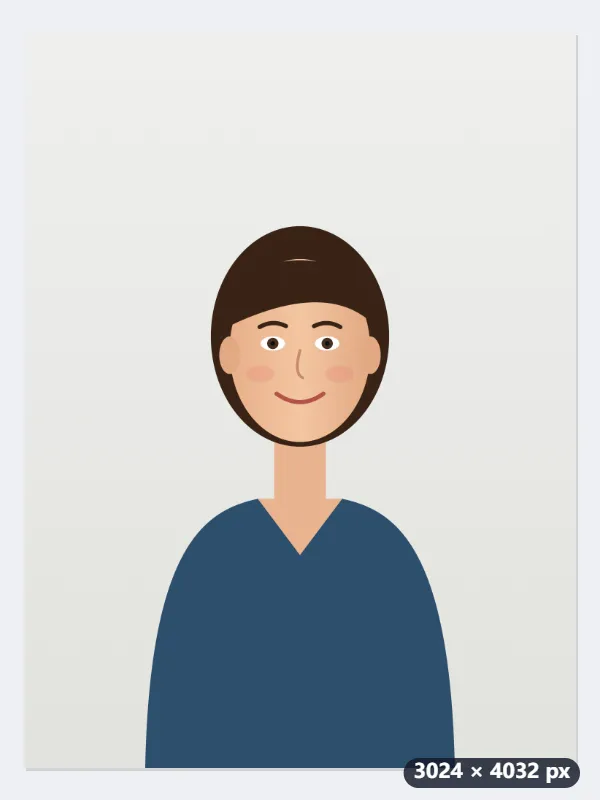
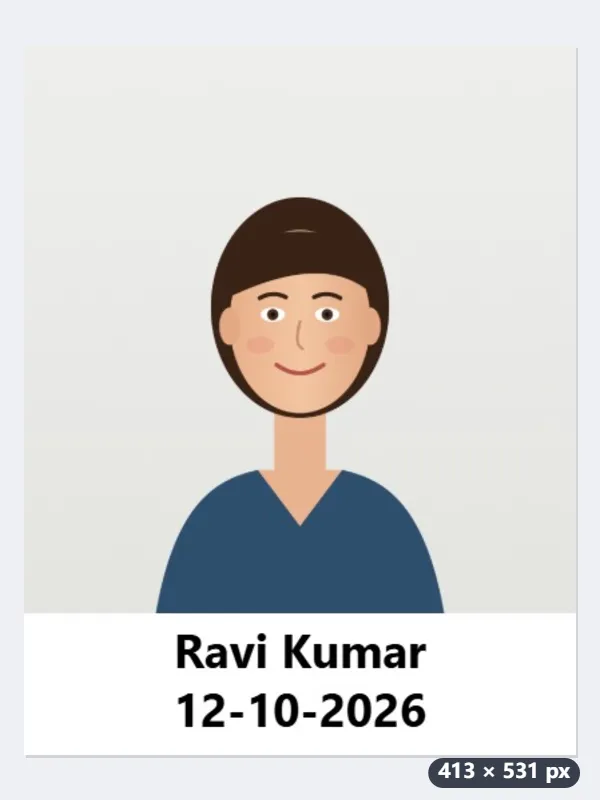
- 35 × 45 mm at 300 DPI is 413 × 531 pixels. The white band takes a fifth of that, 106 px, and the photo fills the 413 × 425 above it.
- The photo is cut to that shape: its full width and 3112 px of its height, 230 px off the top and 690 off the bottom, so the head stays in and the chest goes.
- In the band, bold, black and centred: Ravi Kumar on the first line and 12-10-2026 on the second, as large as the band allows, at most 35 px.
| Size | Finished picture | White band | Photo area |
|---|---|---|---|
| Keep the photo as it is | 3024 × 4838 | 806 px, added under the photo | 3024 × 4032, untouched |
| Passport size 35 × 45 mm | 413 × 531 | 106 px, inside | 413 × 425 |
| 2 × 2 inches | 600 × 600 | 120 px, inside | 600 × 480 |
photo-name-date.jpg, 413 × 531 pixels and marked 300 DPI, so it prints 35 × 45 mm with the name and date inside the photo. If the form also caps the size in KB, compress it afterwards.
How it works
- Drop a recent photo taken against a plain, light background.
- Type your name as the form asks for it, and the date the photo was taken; leave the date empty for today.
- Choose passport size if the form wants it, press Add name and date and download.
Frequently asked questions
- Why do forms ask for the name and date on the photo?
- To show the photo is recent and belongs to the applicant. The usual rule is the name and the date of the photo in a white band at the bottom, inside the photo.
- The form also has a size limit in KB.
- Bring the result to the 20 KB or 50 KB compression page, which keeps the picture as clear as the limit allows.
- Can I use capital letters or a different date style?
- Type the name exactly as you want it printed; the date style is a menu, from DD-MM-YYYY to YYYY-MM-DD.
- Which date format should I choose?
- The one the form shows. 12 October 2026 comes out as 12-10-2026, 12/10/2026, 12.10.2026 or 2026-10-12, or as 10/12/2026 with MM/DD/YYYY, the US order. Leave the date empty and today’s date is printed.
- My name is long. Will it fit?
- The text is made as large as the band allows and smaller when a line is too wide. A name that would get too small is split over two lines at the space nearest its middle, the date on a third: “Ravi Shankar Kumar” becomes “Ravi Shankar” and “Kumar”.
- Is my photo uploaded?
- No. The band and the text are drawn in your browser. It handles one photo per run; the free plan takes up to 20 MB a photo and 5 runs a day.