Sticker maker
A photo in, a cut-out sticker with a white outline out.
Drop files here
or click to choose from your deviceAccepted: JPG, JPEG, PNG, WEBP, AVIF, GIF, BMP, HEIC, HEIF
Up to 3 files per runUp to 20 MB per file5 runs per dayRemove limits with Pro✓ Works offline
Your files stay on your device
This tool runs entirely in your browser. Nothing is uploaded, nothing is stored, and you can even turn off your internet connection before you start.
Example
A sticker of your dog with a white outline and the caption “Hi!”
A portrait photo of 1200 × 1600 pixels, dog.jpg: a small brown dog sitting facing the camera on a plain beige couch. Settings: Cut out the subject, Outline White, Outline thickness Medium, Caption “Hi!” below, Save as WebP.
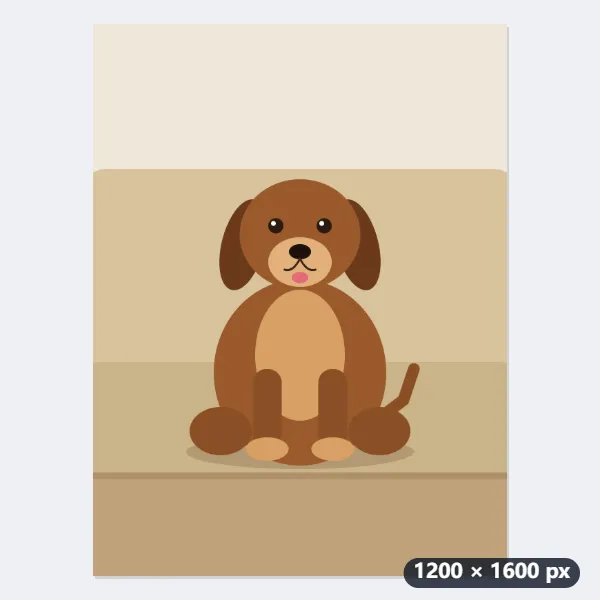
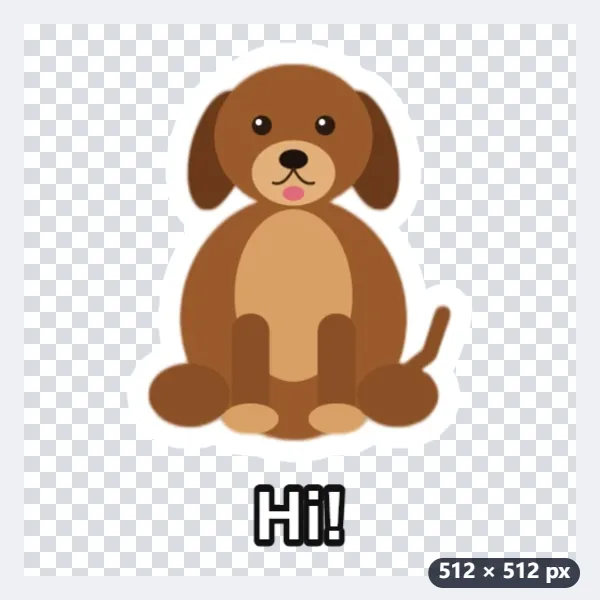
- The dog is cut out of the couch and given a white outline that follows its shape: 20 pixels wide on the finished 512-pixel sticker.
- “Hi!” is short enough for one line at the largest caption size, 60 pixels, drawn in bold with an outline of its own below the dog; everything sits inside a 16-pixel margin.
- Press Make stickers: dog-sticker.webp downloads, 512 × 512 pixels with a transparent background, under 100 KB.
| Outline thickness | On the 512-pixel sticker |
|---|---|
| Thin | 13 px |
| Medium | 20 px |
| Thick | 30 px |
A sticker ready for a pack: the dog without the couch, with its white outline and a greeting underneath. Make two more from other photos to reach the three most chat apps want in a pack; the caption goes on every photo in a run, so change it between runs for “Thanks!” or “lol”.
How it works
- Add one or more photos — a face, a pet, a toy, a meal. Each becomes its own sticker.
- Keep “Cut out the subject” to remove the background, pick a white or black outline, and add a caption if you like (“OK!”, “Thanks”, “lol”).
- Press Make stickers and download the 512 × 512 WebP files, ready to add to a sticker pack in your chat app.
Frequently asked questions
- Which photos work best?
- One clear subject — a person, a pet, an object — standing out from its background. Busy scenes, several people or a subject cut off at the edge make a rougher cut-out; choose “Keep the photo” with a circle or rounded square for those.
- Why 512 × 512 and 100 KB?
- That is the format chat apps expect for still stickers: a square 512-pixel WebP image with a transparent background, no larger than 100 KB. The file is compressed just enough to fit. A few browsers, mostly on iPhone and Mac, can’t save WebP: there you get a PNG instead — open the page in another browser for WebP.
- How do I add the stickers to my chat app?
- Most apps need at least three stickers in a pack, added with a sticker-pack app or the app’s own sticker creator; some let you send a WebP image as a sticker directly. Make a few at once here.
- Can I write text on the sticker?
- Yes — type a caption; it is drawn in bold with an outline so it stays readable on any chat background, above or below the picture.
- How long can the caption be?
- A word or two reads best. The caption is set as large as it fits: on one line at a font size from 60 pixels down to 44, then on two lines from 52 down to 40; anything longer is cut off after the second line with an ellipsis. The same caption goes on every sticker in a run.
- Can I make a round sticker?
- Yes: choose “Keep the photo” and then the shape Circle or Rounded square. The photo is cut to that shape and the outline goes round it. With “Cut out the subject” there is no shape to choose, as the outline follows the subject itself.
- Are my photos uploaded?
- No. The cut-out runs on your device in the browser; your photos never leave it. The first time, the cut-out model is downloaded once (about 13 MB for faces, 2.5 MB for objects) and then kept by the browser.