Nonogram maker from a picture
Your picture, hidden in a logic puzzle.
Drop files here
or click to choose from your deviceAccepted: JPG, JPEG, PNG, WEBP, AVIF, GIF, BMP, HEIC, HEIF
One file per runUp to 20 MB per file5 runs per dayFree PDFs end with a small “Made with nouplo.com” lineRemove limits with Pro✓ Works offline
Your files stay on your device
This tool runs entirely in your browser. Nothing is uploaded, nothing is stored, and you can even turn off your internet connection before you start.
Example
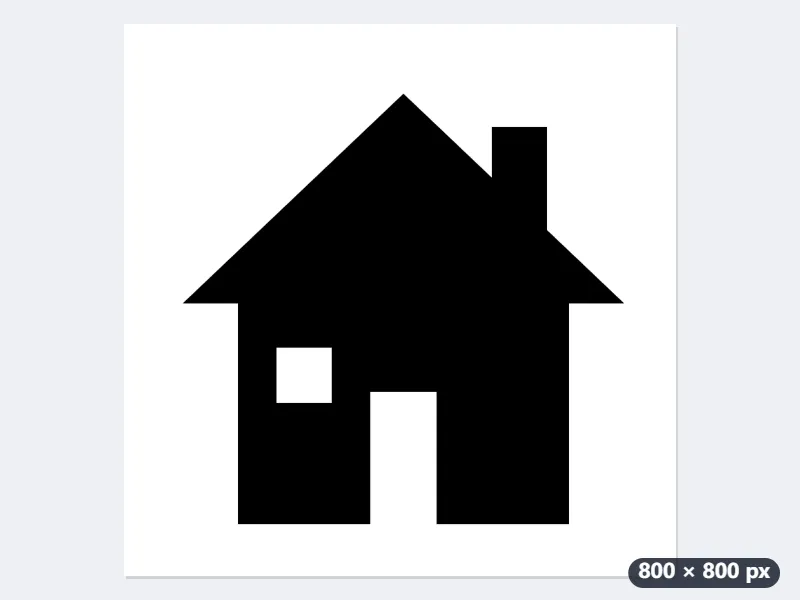
A house drawing turned into a 20 × 20 nonogram, with the answer page
house.png is an 800 × 800 pixel drawing: a black house on white, with a triangle roof, a chimney on the right, and a white window and door. Settings: 20 squares across, answer page added, US Letter.
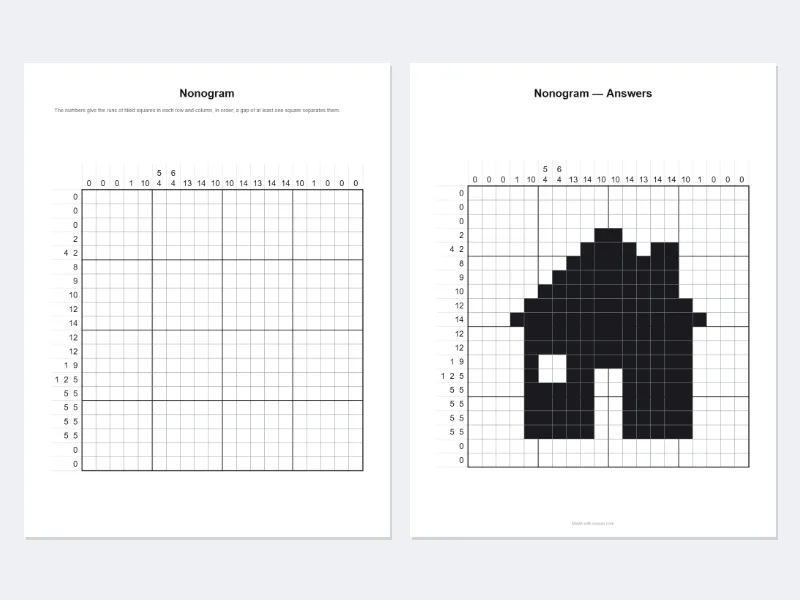
- The picture is square, so the grid is 20 × 20. An 800 × 600 picture would give 20 × 15, as the number down follows the picture’s proportions.
- Flat black-and-white art is read square by square and split into dark and light: 143 of the 400 squares are to be filled in.
- Every row and column gets its clues. This shape can be solved by logic alone, so no square is given away.
| Line | What it crosses | Clue printed |
|---|---|---|
| Row 5 | the roof and the chimney | 4 2 |
| Row 10 | the roof at its widest | 14 |
| Row 13 | wall, window, wall | 1 9 |
| Row 14 | wall, window, wall, door, wall | 1 2 5 |
| Column 6 | roof and wall above the window, wall below it | 5 4 |
| Column 10 | roof and wall down to the door | 10 |
| Column 17 | the roof’s right-hand point | 1 |
house-nonogram.pdf: page 1 the 20 × 20 grid with its clues and the rule, page 2 the answer; house-nonogram-preview.png shows the squares as they came out. For a child, 15 squares across gives a quicker puzzle; 30 or 40 keep more detail.
How it works
- Choose a picture with a clear shape — a silhouette, a logo, a pet on a plain background works best.
- Pick how many squares across: 15 or 20 for a quick puzzle, 30 or 40 for detail.
- Download the PDF: the puzzle with its clues, any squares given away printed in, and the answer page.
Frequently asked questions
- How is the picture turned into squares?
- It is scaled to the grid and split into dark and light at the level that separates them best; transparent parts count as light. Small specks in a photo are cleaned away.
- Why are some squares already filled in?
- Not every picture has one answer found by logic alone. Where it would need guessing, the maker gives away the square that settles the most, and repeats until the answer is certain — usually a few squares, none for a clean shape.
- Which pictures work best?
- Bold shapes with little fine detail: a silhouette, an icon, a logo, lettering. A busy photo comes out noisy at any size; try a larger grid, or crop to the subject first.
- How big is the grid?
- As many squares across as you choose — 10, 15, 20, 25, 30 or 40 — and as many down as the picture’s proportions give, at most 40; a tall picture is made narrower to stay within 40 down. An 800 × 600 picture at 20 across gives 20 × 15.
- What is printed on the page?
- The title, the rule in one sentence, the grid with the clues above each column and left of each row, and a line saying how many squares are given when there are any. The page turns sideways when that gives bigger squares, and the answer page follows.
- Is anything uploaded?
- No. The puzzle is made from the picture in your browser; the picture is never sent anywhere.