Jigsaw puzzle from your photo
Your own picture as a puzzle — print, glue on card, cut.
Drop files here
or click to choose from your deviceAccepted: JPG, JPEG, PNG, WEBP, AVIF, GIF, BMP, HEIC, HEIF
One file per runUp to 20 MB per file5 runs per dayFree PDFs end with a small “Made with nouplo.com” lineRemove limits with Pro✓ Works offline
Your files stay on your device
This tool runs entirely in your browser. Nothing is uploaded, nothing is stored, and you can even turn off your internet connection before you start.
Example
Example: a 48-piece puzzle of the dog on US Letter — 8 × 6 pieces of 1¼ inches
A portrait phone photo, biscuit.jpg (3024 × 4032 pixels): a golden puppy asleep on a red plaid blanket, no people in it. It is a birthday present for a nine-year-old. Settings: 48 pieces, Classic jigsaw, Dark lines, guide picture page on, US Letter.
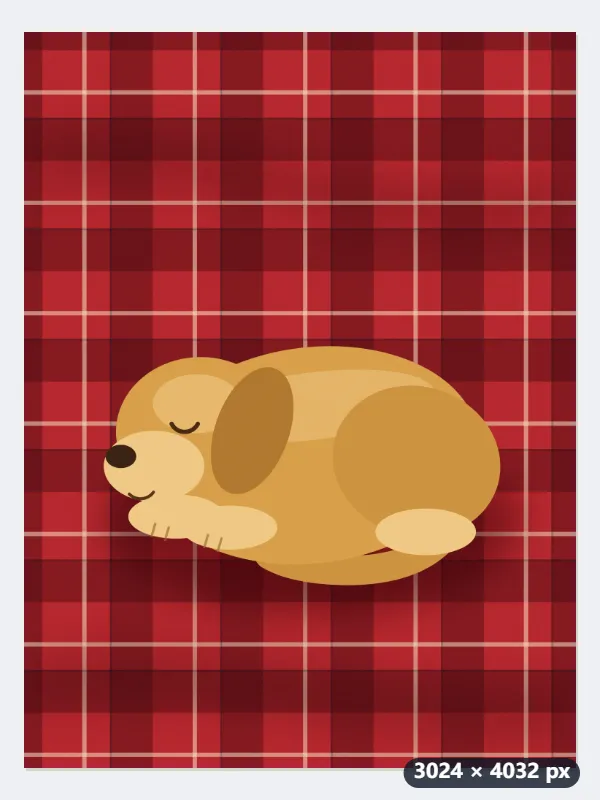
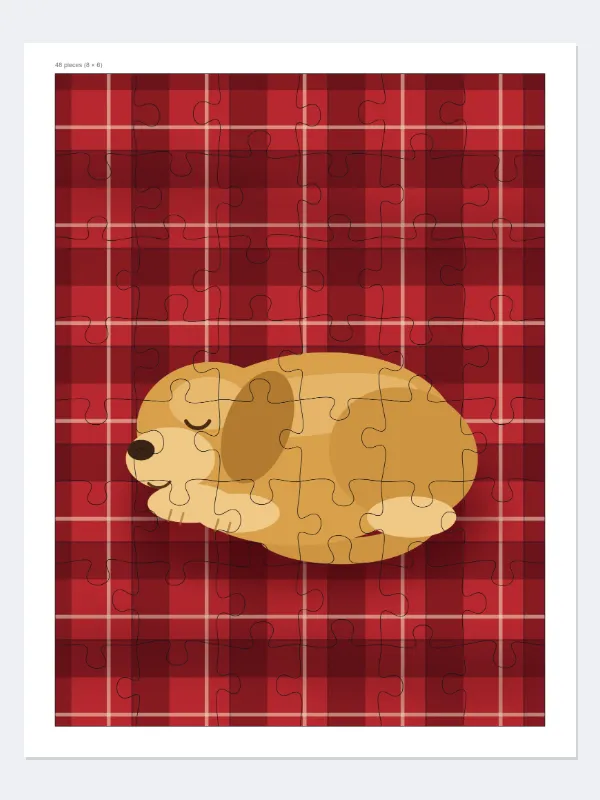
- The photo stands upright, so the page stays portrait. 48 pieces become 8 rows × 6 columns, the same 3:4 shape as the photo, so nothing is trimmed off.
- The puzzle is 7.54 × 10.06 inches (191.5 × 255.4 mm), centered with a 12 mm margin; every piece is about 1¼ inches (31.9 mm) square.
- The photo goes into the PDF at 1885 × 2514 pixels, which is 250 dpi at that size: sharp in print without carrying all 12 megapixels.
- Above the top-left corner, in small grey type: “48 pieces (8 × 6)”. Page 2 shows the photo small with faint cuts, like a box lid, plus three tips on gluing, cutting and piece counts for little ones.
| Pieces chosen | Rows × columns | Piece size (US Letter) | Trimmed off the photo |
|---|---|---|---|
| 6 | 3 × 2 | 3.35 in (85.1 mm) | 11% of the width |
| 12 | 4 × 3 | 2.51 in (63.8 mm) | nothing |
| 24 | 6 × 4 | 1.68 in (42.6 mm) | 11% of the width |
| 35 | 7 × 5 | 1.44 in (36.5 mm) | 4.8% of the width |
| 48 | 8 × 6 | 1.26 in (31.9 mm) | nothing |
| 70 | 10 × 7 | 1.01 in (25.5 mm) | 6.7% of the width |
| 100 | 11 × 9 (99 pieces) | 0.84 in (21.3 mm) | 8.3% of the height |
biscuit-jigsaw-puzzle.pdf, 2 pages. Print page 1 on photo paper at actual size, glue it onto thin card, let it dry and cut along the lines. The table is for an upright 3:4 phone photo on US Letter; on A4 the same photo gives 96 pieces (12 × 8) for 100.
How it works
- Add a photo — a family picture, a drawing, a holiday snap.
- Choose how many pieces and their shape.
- Print, glue the sheet onto thin card, let it dry and cut along the lines.
Frequently asked questions
- How many pieces for which age?
- Six to twelve wavy or square pieces for two- to four-year-olds, 24 to 35 for school children, 48 to 100 classic pieces for older kids and adults.
- What paper should I use?
- Print on photo paper or normal paper, then glue it onto thin card (a cereal box works) before cutting. Photo paper on card makes the sturdiest pieces.
- Will my photo be cut off?
- Often not at all, and never more than 15% of one side, taken equally from both edges. The photo fills the page, and the trim is what keeps the pieces square; center what matters before you start.
- What is the guide page for?
- It shows the whole picture small, like the lid of a puzzle box, to help while building.
- Why did I get 99 pieces when I chose 100?
- Rows × columns follow the shape of the photo and the paper so the pieces stay square. An upright 3:4 phone photo on US Letter comes out as 11 × 9 = 99 pieces of about 0.84 inch; on A4 it is 12 × 8 = 96. The real count is printed above the puzzle and on the guide page.
- What happens with a panoramic or square photo?
- A wide 16:9 photo loses the 15% maximum from its sides and its pieces come out slightly oblong: 35 pieces on US Letter are 5 × 7 pieces of 1.44 × 1.33 inches. A square photo goes on an upright page and loses up to 15% of its width. For square pieces, crop the photo to 4:3 or 3:2 first.
- Is my photo uploaded?
- No. The puzzle is made in your browser; the photo never leaves your device.