Dot to dot generator from a picture
Your own picture, as a connect-the-dots puzzle.
Drop files here
or click to choose from your deviceAccepted: JPG, JPEG, PNG, WEBP, AVIF, GIF, BMP, HEIC, HEIF
One file per runUp to 20 MB per file5 runs per dayFree PDFs end with a small “Made with nouplo.com” lineRemove limits with Pro✓ Works offline
Your files stay on your device
This tool runs entirely in your browser. Nothing is uploaded, nothing is stored, and you can even turn off your internet connection before you start.
Example
Example: a cat silhouette made into a 40-dot puzzle on US Letter
The picture: a black cat silhouette, sitting with its ears up and its tail curled at its side, on a plain white background. Settings: Dots 40, Add the answer page ticked, Paper US Letter.
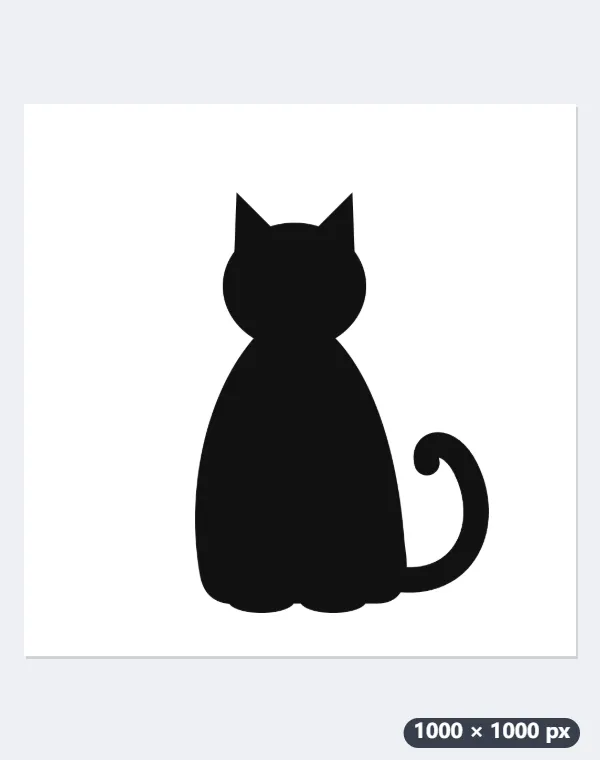
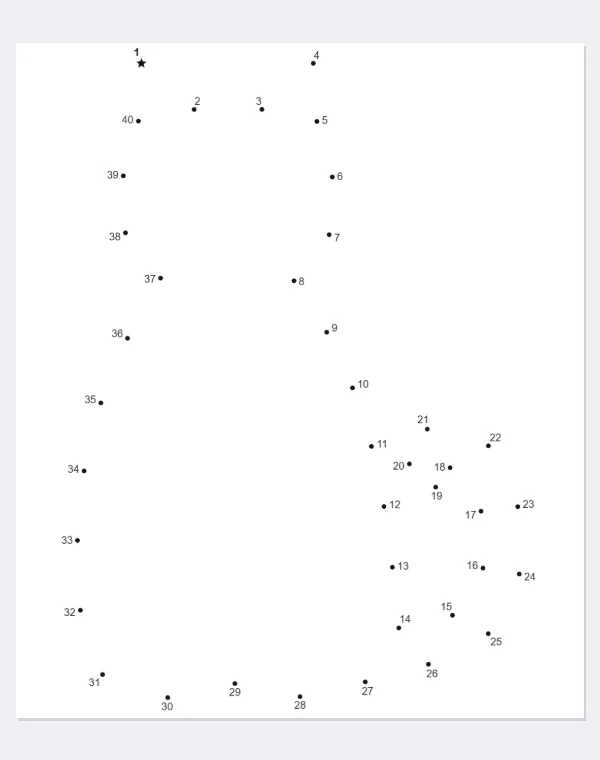
- The picture is read at up to 400 pixels on its longer side; the dark cat is taken as the shape and its outline traced: ears, head, back, tail and paws.
- Forty dots are set along that outline: one on every sharp turn, such as the tips of the ears, and the rest spread evenly. Dot 1 is a star with a bold number.
- The numbers are set just outside the line, clear of the dots and of each other, and the puzzle fills a box about 184 × 218 mm under the title.
| Dots | Numbers printed at | Dot size |
|---|---|---|
| 20 — for little ones | 4.45 mm (12.6 pt) | 2.0 mm across |
| 40 | 3.41 mm (9.7 pt) | 1.5 mm across |
| 60 | 2.95 mm (8.4 pt) | 1.3 mm across |
| 100 | 2.49 mm (7.1 pt) | 1.1 mm across |
| 150 — for adults | 2.20 mm (6.2 pt) | 1.0 mm across |
A two-page PDF: the puzzle under the title “Dot to dot”, with name and date lines and “Join the dots from 1 to 40 in order, then back to 1.”, then the answer page with the cat’s outline drawn. A PNG preview of the puzzle comes with it.
How it works
- Choose a picture with one clear shape: a silhouette, clip art, a logo or a bold drawing on a plain background.
- Pick how many dots: 20 for a young child, 100 or 150 for a real challenge.
- Download the PDF: the numbered dots with the first one marked, and the answer page with the outline drawn.
Frequently asked questions
- Which pictures work?
- One shape that stands out from its background: an animal’s silhouette, a cartoon, a logo, a bold drawing. The outline of the largest shape is traced; a photo of a busy scene gives a shapeless outline.
- How are the dots placed?
- Along the traced outline, with a dot on every sharp corner so the shape comes out right, and the rest spread evenly. The numbers are set outside the line, clear of the dots and of each other.
- Can I turn a photo into a dot to dot?
- Only when the photo has one clear shape against a plain background. Otherwise remove the background first with the background remover and use the cut-out: a picture with transparency is traced by its transparent edge, so the subject’s outline is what gets dotted.
- Can I print it on A4?
- Yes: choose A4 under Paper; US Letter is the default here. The puzzle is scaled to fill the space under the title and name lines on either size, and the answer page uses the same layout, so the two match.
- Is anything uploaded?
- No. The puzzle is made from the picture in your browser; the picture is never sent anywhere.