Remove a black background
The black goes; light, glow and colour stay, with soft edges.
Drop files here
or click to choose from your deviceAccepted: JPG, JPEG, PNG, WEBP, AVIF, GIF, BMP, HEIC, HEIF
Up to 3 files per runUp to 20 MB per file5 runs per dayRemove limits with Pro✓ Works offline
Your files stay on your device
This tool runs entirely in your browser. Nothing is uploaded, nothing is stored, and you can even turn off your internet connection before you start.
Example
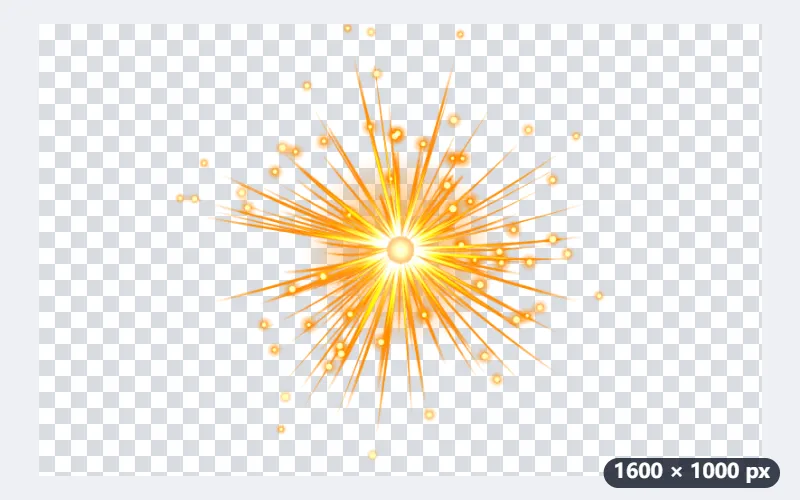
Example: a burst of sparks on black made into a transparent PNG
sparks.jpg, 1600 × 1000 pixels: an orange burst of sparks with a white-hot centre and a soft orange glow fading into pure black. Settings as the page opens: One plain colour, found along the edges, clean-up 5, original colours kept, PNG.
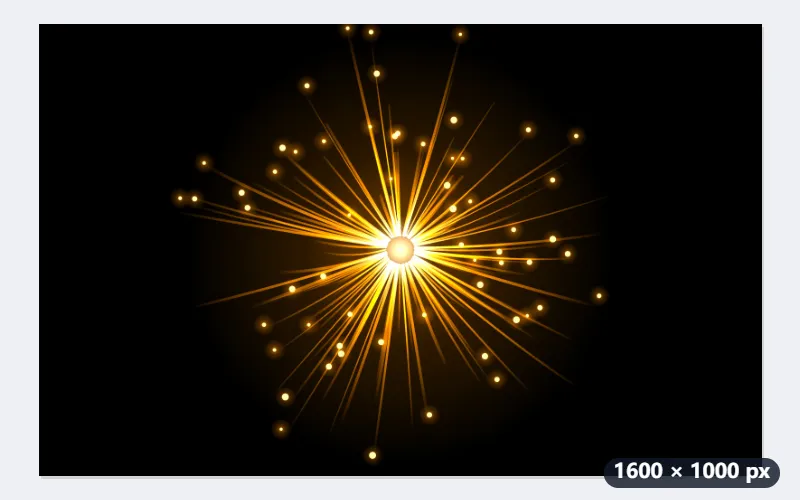
- The black is read from the picture’s edges. Every pixel is then taken as colour laid over black, and its brightest channel decides how opaque it is.
- The clean-up cuts both ends: at 5, under 17% the pixel is gone, over 57% it is solid, in between it fades. At 3 the limits are 11% and 51%.
- The colour is brightened back by the same share, so a half-dark flame pixel comes out full orange, partly see-through.
| Pixel | RGB | Comes out as | Opacity at 5 | At 3 |
|---|---|---|---|---|
| Black background | 0, 0, 0 | nothing | 0% | 0% |
| JPEG noise in the black | 6, 6, 6 | nothing | 0% | 0% |
| White-hot centre | 255, 255, 255 | 255, 255, 255 | 100% | 100% |
| Orange flame | 255, 140, 0 | 255, 140, 0 | 100% | 100% |
| Flame fading out | 128, 70, 0 | 255, 139, 0 | 82% | 98% |
| Faint glow | 40, 22, 0 | 255, 138, 0 | 0% | 11% |
| Dark grey | 50, 50, 50 | 255, 255, 255 | 6% | 21% |
sparks.png, 1600 × 1000, with no black left: the sparks solid and the glow fading out over any background. To keep more of the faint outer glow, run it again at clean-up 3.
How it works
- Drop the image on black — JPG, PNG or WebP.
- Keep One plain colour as the background to remove; it reads the colour from the edges of the picture.
- Press Remove black background and download the transparent PNG.
Frequently asked questions
- What kind of pictures work best?
- Anything bright on plain black: a white or coloured logo, lettering, fire, sparks, smoke, light leaks and glow effects. The glow keeps its soft fade instead of a hard cut-out.
- Why are dark parts of my design see-through?
- Every pixel is read as colour laid over black, so the darker it is, the more see-through it becomes, and its colour is brightened: a dark grey (50, 50, 50) comes out white at 6% opacity at the default clean-up. On a light background such parts look pale; designs with large dark areas need those filled back in.
- Can it remove a dark grey or navy background?
- Yes — any plain colour along the edges of the picture is removed, not only pure black.
- How do I keep more of a soft glow?
- Lower Clean up faint marks and shadows: at 5 a glow at 16% of full brightness disappears, at 3 it stays at 11% opacity. Raise it instead to clear grey haze and JPEG noise around the edges.
- Is my image uploaded?
- No. Everything runs in your browser. The free plan handles 3 images per run, 20 MB each and 5 runs a day.