Image to ASCII art
A picture made of letters.
Drop files here
or click to choose from your deviceAccepted: JPG, JPEG, PNG, WEBP, AVIF, GIF, BMP, HEIC, HEIF
Up to 3 files per runUp to 20 MB per file5 runs per dayRemove limits with Pro✓ Works offline
Your files stay on your device
This tool runs entirely in your browser. Nothing is uploaded, nothing is stored, and you can even turn off your internet connection before you start.
Example
Example: a landscape photo at 80 characters across
A 1200 × 800 photo with the defaults: 80 characters across and the Standard set ( .:-=+*#%@ ), for a light background.
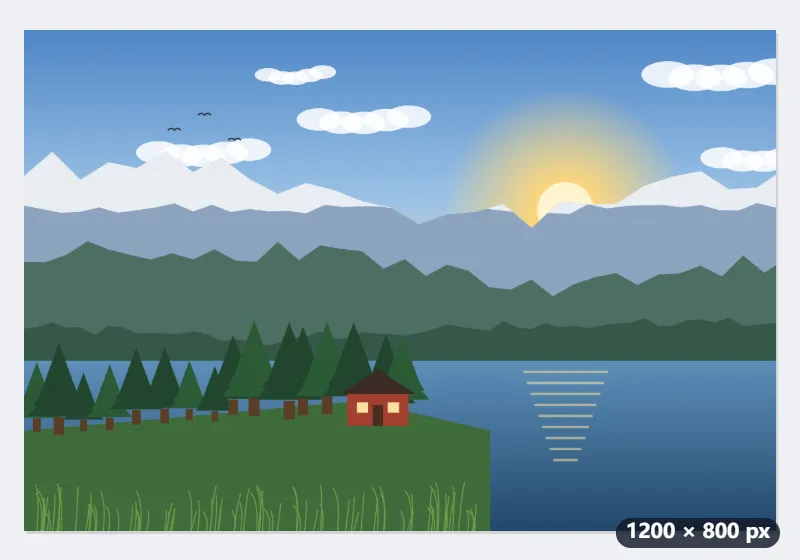
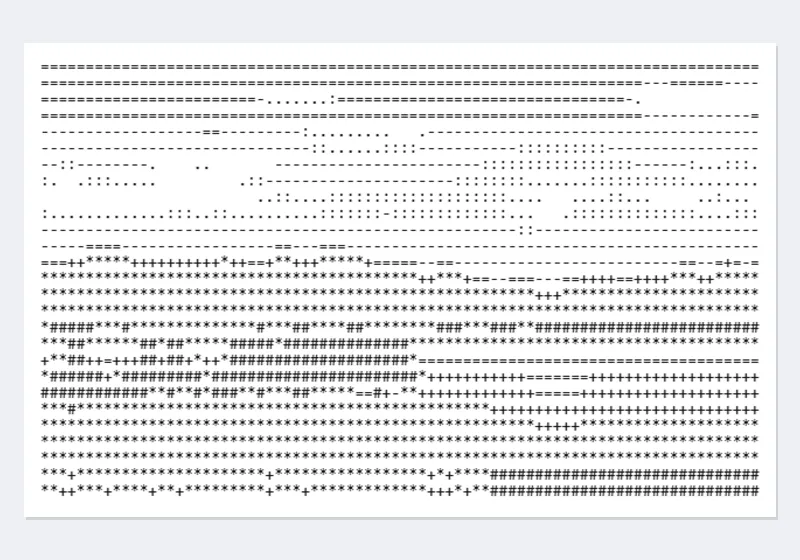
- The picture is cut into 80 columns and 27 rows — half the 53 its shape suggests, because a character is about twice as tall as it is wide.
- Each cell’s average brightness picks a character: a space for white, @ for the darkest.
- Copy the text into a monospace font, or download it and the PNG of it.
| Characters across | Landscape 1200 × 800 | Square 1080 × 1080 | Portrait 800 × 1200 |
|---|---|---|---|
| 40 | 13 rows | 20 rows | 30 rows |
| 80 | 27 rows | 40 rows | 60 rows |
| 120 | 40 rows | 60 rows | 90 rows |
| 160 | 53 rows | 80 rows | 120 rows |
80 × 27 characters keeps the photo’s proportions in any fixed-width font. Tick For a dark background to swap the shading for a terminal; the PNG is then drawn light on dark.
How it works
- Add a picture; one with a clear subject and contrast works best.
- Choose how many characters across.
- Tick the dark-background box if it will be shown light on dark, as in a terminal.
- Convert, copy the text, or download it and the PNG.
Frequently asked questions
- Why does it look stretched in my editor?
- ASCII art only lines up in a fixed-width font, where every character is as wide as every other. Paste it into a code block, a terminal or a monospace font.
- Why are there half as many rows?
- A character is about twice as tall as it is wide, so each row stands for twice the height of each column. That keeps the picture in proportion.
- Which characters should I use?
- Standard is clean and works everywhere; detailed gives smoother shading at larger widths; blocks give a solid look but need a font that has the block characters.
- What does “For a dark background” do?
- It reverses the shading, so bright parts get the dense characters (@, %) — right for light text on a dark screen such as a terminal. The PNG is then drawn light on dark instead of dark on white.
- Can I download it as a picture?
- Yes — besides the .txt file you get a PNG of the same text in a monospace font, ready to post where a fixed-width font isn’t available.
- Is my picture uploaded?
- No. It is converted in your browser.
Related tools
▩ Pixel art converter A picture redrawn in big blocks and a small palette, like an old game. ✎ Photo to line drawing Flat areas go white and only the lines stay — as pencil or as clean ink. ⁘ Halftone generator Grey made of dots, the way print does it. ¶ Image to text Screenshots, scans and photos of documents become text you can copy, on your own device.